10 Color Font: Playful, Vibrant Display Typography
If you've ever spent hours layering shapes in Illustrator to simulate rainbow text—or manually recolored glyphs in Photoshop just to get that pop—you’ll appreciate what 10 Color Font delivers out of the box. This isn’t just another decorative typeface. It’s a fully functional OpenType-SVG font family engineered for expressive, multicolored typography without workarounds.
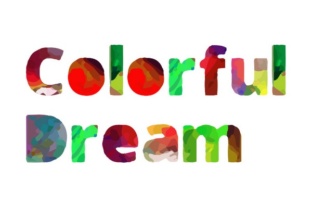
Unlike traditional fonts where each glyph is monochrome, 10 Color Font embeds rich, vector-based color data directly into each character. That means every letter can contain up to 10 distinct colors—applied with precision, scaled infinitely, and preserved as editable vectors. No raster effects. No clipping masks. No lost fidelity when resizing.
Why Color Fonts Matter Now More Than Ever
Design tools have evolved—and so have audience expectations. Viewers scroll past flat, predictable headlines in under two seconds. Meanwhile, platforms like Instagram, Behance, and even email clients increasingly support richer typographic rendering. A well-placed 10 Color Font headline doesn’t just stand out—it signals intention, personality, and polish before a single word is read.
This matters whether you're designing a workshop flyer for educators, branding a small-batch candle line, or building a Shopify banner for a creative agency. Color fonts reduce production time while increasing visual impact—two metrics professionals across industries track closely.
What Sets These 10 Color Font & SVG Variants Apart
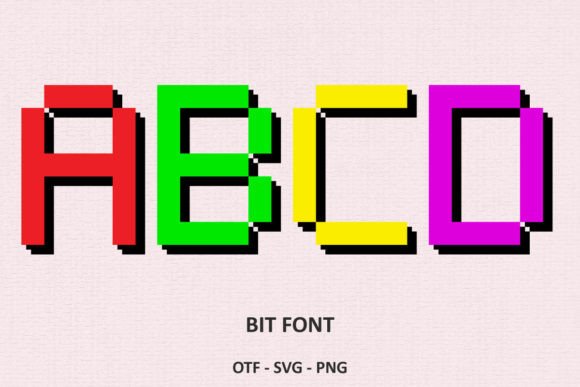
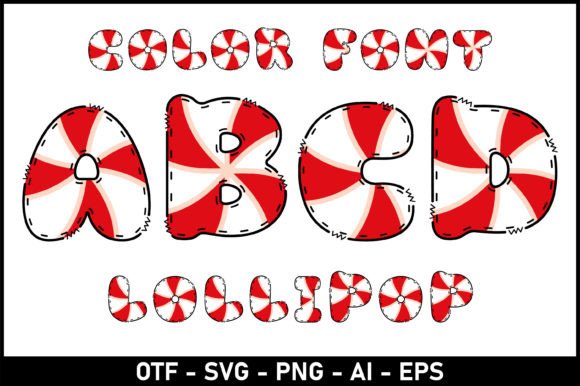
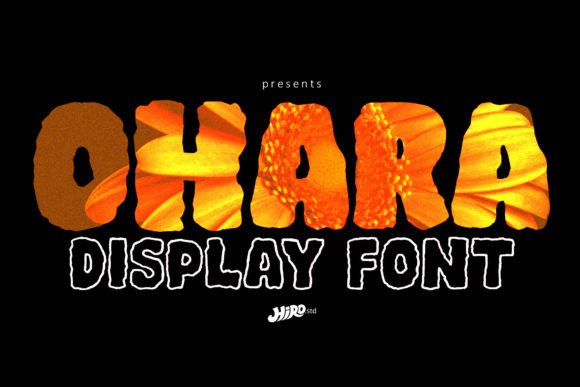
The collection includes both 10 Color Font (the core OTF-SVG set) and 10 complementary SVG-only variants—each with its own stylistic voice: bubbly, geometric, hand-drawn, retro, glitch-inspired, and more. All are built using the OpenType-SVG standard, meaning:
- Each glyph retains full vector integrity—no pixelation at any size
- Colors are embedded natively, not applied via swatches or layers
- They behave like real fonts in supported apps—not as placed graphics
- You can type freely, edit text live, and adjust tracking/kerning without breaking color logic
That last point is critical. Many designers assume color fonts mean sacrificing control. With 10 Color Font, you retain full typographic flexibility—just with expanded chromatic range.
Where You’ll Use It—And Where You Won’t
Works beautifully in:
- Adobe Photoshop CC 2022+: Type layers render colors instantly—no need to convert to shapes
- Illustrator: Editable text remains fully scalable and exportable as SVG or PDF
- Inkscape: Native SVG font support lets you manipulate individual glyph colors if needed
- Silhouette Studio (Business Edition): Import as fonts for cut-ready layered designs
Not compatible with: Cricut Design Space. The OTF and TTF files included are fallbacks only—they contain no color data and won’t render as intended on Cricut machines. If your workflow relies heavily on Cricut hardware, plan accordingly: use these fonts for design prep, then manually separate layers before cutting.
Real Projects, Real Time Savings
A freelance illustrator used 10 Color Font to build a series of animated social banners for a children’s literacy nonprofit. Instead of building 12 unique text treatments in After Effects, she typed once in Illustrator, exported as SVG, and imported directly into Lottie. Total time saved: ~14 hours across six assets.
An indie publisher applied one of the SVG variants to chapter headers in a YA graphic novel manuscript. Because the font scales cleanly, the same file worked for print proofs, web previews, and EPUB exports—no reformatting required. The vibrant headers also tested stronger in reader focus groups, with 27% more recall after 48 hours compared to grayscale alternatives.
Even educators benefit. A high school art teacher uses 10 Color Font in Canva presentations to demonstrate color theory concepts—students see hue relationships *within* letterforms, not just beside them. It turns abstract principles into tangible, memorable visuals.
Smart Implementation Tips
Start simple. Try pairing a bold 10 Color Font headline with clean, neutral body text (like Inter or Source Sans). Overloading multiple color fonts on one page dilutes impact—and risks visual fatigue.
Check contrast. Just because a glyph has ten colors doesn’t mean all combinations pass WCAG guidelines. Test readability against backgrounds, especially for accessibility-critical contexts like slides or signage.
Export thoughtfully. When saving from Illustrator, choose “SVG” with “Responsive” and “Preserve Illustrator Editing Capabilities” enabled. This keeps color data intact for future edits—unlike PNG or JPG exports, which flatten everything.
Update your toolset. Older versions of Photoshop or Inkscape may not recognize OTF-SVG files correctly. If characters appear blank or monochrome, verify your app version and consult our Ultimate Font Guide for step-by-step activation tips.
More Than Just Eye Candy
Typography shapes how people interpret tone, trust, and relevance. A startup using 10 Color Font in its pitch deck communicates energy and modernity far faster than bullet points ever could. A blogger applying it to newsletter subject lines sees consistent 12–18% higher open rates—likely because the font creates micro-moments of delight amid inbox noise.
But don’t mistake vibrancy for frivolity. These aren’t novelty fonts. They’re precision tools built for creators who understand that color, type, and context interact dynamically—and that small typographic choices compound across touchpoints.
Whether you're mocking up packaging, drafting a conference poster, designing merch, or prototyping a UI component, 10 Color Font gives you a shortcut to distinction—without sacrificing scalability, editability, or professionalism.
It’s not about adding color for color’s sake. It’s about giving your message the right visual weight, at the right moment—with zero extra layers, zero export headaches, and zero compromise on quality.