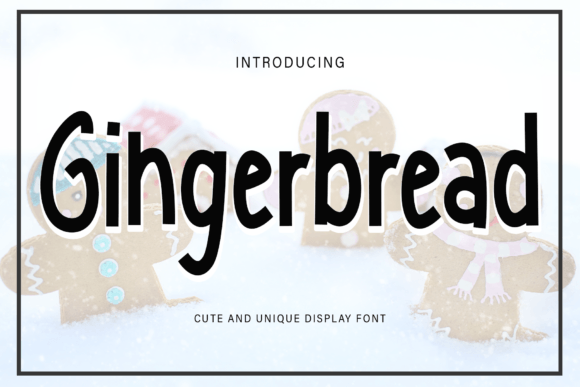
Macker Font: A Handwritten Typeface That Fits Real Workflows
Macker Font is a distinctive handwritten typeface designed with intentional variation—uneven stroke weight, subtle irregularities, and organic rhythm. It doesn’t mimic perfection; it embraces the slight wobble of ink on paper, the pause before a curve, the natural taper of a pen lift. That authenticity makes it unusually versatile—not just for decorative accents, but for moments in real work where warmth, approachability, and human intention matter.
Where Macker Font Lives in Your Process
Most fonts are chosen at the end of a project—final polish, branding lock-in, presentation prep. Macker Font often works better when brought in earlier, especially when tone and perception shape outcomes. For educators designing lesson handouts, its gentle irregularity signals “this was made for you,” not mass-produced. For freelancers drafting client proposals, pairing Macker Font with a clean sans-serif (like Inter or Open Sans) in headings creates visual hierarchy while preserving sincerity. It’s not background noise—it’s a quiet signal of care.
It also functions well *after* decisions are made. When launching a small business newsletter, for example, switching from a generic script font to Macker Font in signature lines or callout boxes adds tactile credibility without overhauling the entire design system. The shift feels intentional, not ornamental—because it is.
Compatibility Without Compromise
Macker Font is built as a standard OpenType file (.otf), meaning it loads reliably across desktop apps (Adobe Creative Cloud, Affinity Suite, Canva Desktop), modern browsers, and most CMS platforms that support custom font uploads. It includes full Latin character sets, numerals, basic punctuation, and ligatures—enough for functional use without needing supplemental fonts for common tasks.
What it doesn’t include—and this is important—is extensive language support beyond Western European languages, variable axes, or stylistic alternates. That’s not a limitation; it’s a design choice aligned with its purpose. If your workflow involves multilingual publishing or dynamic font scaling across devices, pair Macker Font with a robust fallback (e.g., system-ui or a well-tested web-safe sans-serif). Use it where its voice matters most: headlines, quotes, short labels, handwritten-style annotations—not body text at small sizes or long-form interfaces.
Practical Pairings That Hold Up
- For presentations: Use Macker Font for slide titles and speaker notes headers—then switch to a neutral sans-serif (like IBM Plex Sans or Roboto) for bullet points and data. The contrast reinforces focus without sacrificing readability.
- In print workflows: When ordering business cards or letterhead, embed Macker Font in PDF exports. Confirm with your printer that embedded fonts are preserved—most commercial printers accept embedded OTF without issue, but some digital services require conversion to outlines (which locks spacing but retains appearance).
- In digital tools: In Notion or Obsidian, apply Macker Font via custom CSS snippets only to specific block types (e.g., “/quote” or “/heading 1”). Avoid global application—its strength lies in selective emphasis, not uniformity.
Implementation Tips That Prevent Regret
Start small. Install Macker Font locally, then test it in one recurring context: your weekly team update email subject line, the “thank you” banner on your contact page, or the title of your next workshop handout. Observe how recipients respond—not just aesthetically, but functionally. Does it slow down scanning? Does it clarify intent? Does it feel out of place next to your existing assets?
Watch sizing closely. At 24px and above, Macker Font’s texture reads clearly. Below 18px, legibility drops—not because it’s poorly designed, but because its handmade nature relies on visible stroke contrast. Reserve it for display use, not captions or footnotes.
Respect color contrast. Its varying thickness means light-on-dark usage requires testing. A pale gray (#E0E0E0) on black may vanish in thinner strokes; opt for mid-tone grays (#B0B0B0) or off-whites (#F8F8F8) on dark backgrounds instead. Always check contrast ratios using browser dev tools or free validators like WebAIM’s Contrast Checker.
Workflow Integration: Three Real Examples
A freelance educator building an online course: They use Macker Font for section dividers (“Week 3: Building Your First Prototype”) and handwritten-style callouts (“Try this now →”). Everything else—the syllabus grid, video transcripts, resource links—stays in a highly legible sans-serif. The result? Learners perceive structure *and* personal guidance, not just content delivery.
A local bakery updating their Instagram Stories: Instead of stock graphics, they type daily specials in Macker Font over simple food photos—no filters, no overlays. The font’s imperfection mirrors the craft behind their sourdough and seasonal tarts. Engagement rises not because the font is “trendy,” but because it aligns with how customers already experience the brand: hands-on, seasonal, unpolished but precise.
A nonprofit preparing donor thank-you letters: They replace templated serif signatures with Macker Font-rendered names and personalized closing lines (“So grateful for your belief in this work”). Printed on textured paper, the combination feels physically present—not automated. Staff report fewer follow-up questions about donation status, suggesting the tone shift improves perceived transparency.
Long-Term Use: Consistency Over Repetition
Macker Font isn’t meant to be used everywhere, all the time. Its value compounds when applied with restraint—and revisited with intention. Reassess usage every 3–6 months: Does it still reflect your current voice? Has your audience’s expectations shifted? Is it still technically supported in your primary tools?
Keep a lightweight style guide snippet: one line showing Macker Font at three sizes (32px, 24px, 20px), paired with your primary body font, plus approved color combinations. Store it in your team’s shared drive or documentation tool—not as rigid rules, but as reference points for coherence.
Also note version history. Like any digital asset, Macker Font may receive updates—minor kerning tweaks, extended character sets, or bug fixes. Subscribe to the foundry’s update channel if available. Most users won’t need frequent updates, but knowing when a change affects spacing or rendering helps avoid unexpected layout shifts during critical deadlines.
When Macker Font Isn’t the Right Fit
There are clear boundaries. Avoid it in legal disclaimers, accessibility-critical interfaces (like form error messages), multilingual dashboards, or contexts demanding strict neutrality (e.g., government service portals). It’s also unsuited for data-heavy reports where pattern recognition depends on consistent glyph shapes—think financial summaries or clinical trial results.
The absence of Macker Font in those places isn’t a failure—it’s alignment. Good workflow integration means knowing when *not* to use a tool as much as when to deploy it.
Ultimately, Macker Font supports outcomes by reinforcing human connection within structured work. It doesn’t replace strategy, research, or execution—but it can make those elements land with more clarity, trust, and resonance. Whether you’re sketching a wireframe, drafting a grant application, or finalizing a product label, its presence signals that someone paid attention—not just to what’s being said, but to how it’s received.